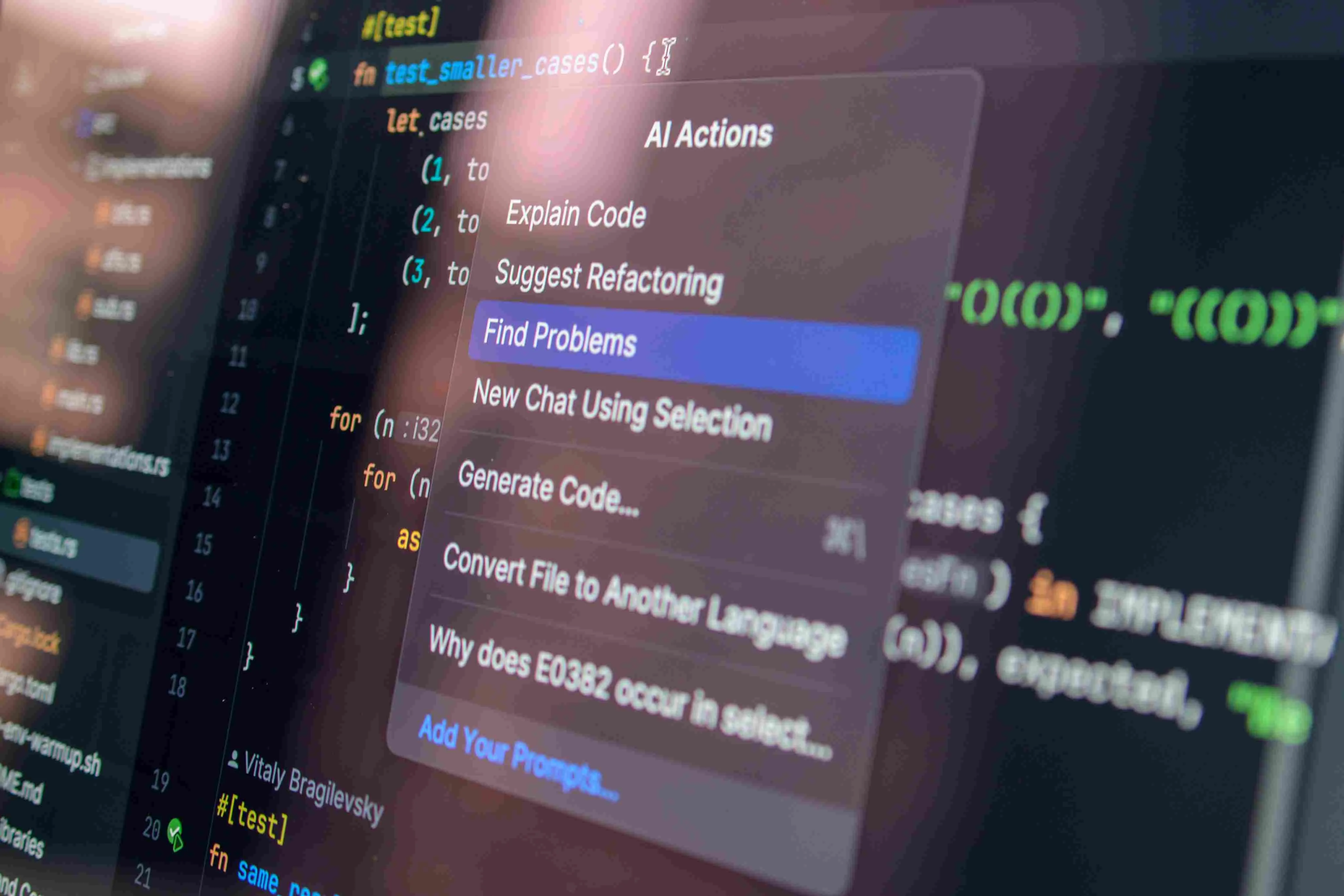
Enterprise AI use cases are integrated into specific business workflows, such as reviewing invoices, routing service requests, forecasting demand, searching internal records, or inspecting physical assets. Unlike a standalone chatbot or an employee testing a public AI tool, an enterprise system uses approved business data, fits into existing processes, and has a named owner responsible for the result.
Those workflows don’t operate under the same conditions in every department or industry. A bank, hospital, manufacturer, and property operator work with different data, review rules, risks, and required outputs, even when the underlying AI method is similar. The examples are grouped by business function and industry so you can begin with the workflows closest to your own.
The initial step is to identify a pertinent example. The final assessment looks at budget, integration work and staff time to reduce the list before a pilot or wider roll out is committed.
Quick Summary
- Enterprise AI integrates with approved business data and workflows to solve specific operational problems rather than acting as a standalone tool.
- Use cases vary by business function—such as customer service, finance, HR, and IT—and require tailored approaches based on unique data, regulatory requirements, and risk profiles.
- Effective evaluation involves defining a clear business problem, testing the AI with real-world data, and calculating the total operational cost versus the current process.
- Successful implementation starts with a single high-impact use case to prove value, ensuring strict adherence to existing approval rules and human accountability.
Enterprise AI Use Cases by Business Function
Review use cases by business function first because the same AI capability handles different data, follows different review rules, and produces different outputs across customer service, finance, HR, and operations.
Customer Service & Customer Experience
In customer service, AI handles specific steps around a conversation rather than taking ownership of the customer relationship. It answers approved questions before an agent is involved, sorts requests as they arrive, supports the live conversation, and reviews completed interactions for recurring issues.
- Customer self-service: Virtual agents answer approved, repeatable questions using account, product, or policy information. They can also access back-end systems to check orders, reset passwords, reschedule appointments or initiate returns. Disputed identities, complaints, and requests outside of the defined rules are sent to an employee for review..
- Ticket classification and routing: As a ticket lands in the service queue, AI tags the intent, product, language, and urgency and routes it to the right team. It also gives the employee a quick summary of the problem and previous messages so they don’t have to rebuild the request. Compare routing accuracy, reassignment rate and time to first response to the current process.
- Agent assistance: When the conversation starts, AI pulls the relevant policy, the customer’s prior interactions and the approved resolution steps. It drafts the response or recommends a course of action, but the employee approves what is sent to the customer or changes the account. Measure the handling time, post contact work and correction rates against the current workflow.
- Interaction analysis and proactive service: AI clusters recurring complaints after the interaction and detects changes in why customers contact us. Supervisors then use those patterns to investigate service failures, change a process, or contact affected customers. The rules on eligibility, consent and communication still apply to product recommendations and proactive outreach.
Finance, Compliance and Risk
Finance teams are using AI to process invoices and build forecasts, while compliance and risk teams are using it to flag transactions, contract terms and policy changes for review. AI narrows the workload but a finance, compliance or legal specialist decides what to pay, report or escalated, reported or escalated.
- Invoice and payment processing: AI extracts supplier info, purchase order numbers, tax amounts, line items, and payment terms from an invoice and then reconciles the information with the purchase order and receipt records. If the details match the invoice is then moved to the approval queue. Held for review: missing fields, duplicate invoice numbers, and mismatches in totals.
- Fraud and anomaly detection: Models are used to match transactions against known fraud patterns and the organization’s own payment history. If there is a new bank account, unusual amount, unfamiliar device or a skipped approval step, an alert is triggered for investigation. It is not a finding of fraud. Track confirmed and dismissed alerts; if reviewers spend most of their time clearing normal transactions, the model is creating another queue rather than reducing one.
- Cash-flow and demand forecasting: A forecasting model uses payment history, open invoices, orders and seasonal patterns to predict future cash position or demand. Run it alongside the current planning method before using its output for budgets or purchasing decisions. Measure the size and frequency of forecast errors when prices change, payments arrive late or source data is incomplete.
- Document and policy review: AI compares contracts, policies and regulatory documents to an approved template, checklist, rule set or previous version. It shows missing clauses, inconsistent terms and changed passages to check. The meaning of the document and whether it needs to be corrected, disclosed or escalated is determined by an accountant, compliance officer or lawyer.
Employee Support and Human Resources
In HR, AI handles all the administrative work around an employee, policy questions, applications, onboarding, staffing forecasts. HR staff and managers remain responsible for hiring, promotion and disciplinary action.
- Employee self-service: An internal assistant retrieves leave, benefits, payroll and workplace-policy information from approved HR records. Connected to HR systems, it shows a leave balance, starts a leave or benefits request and directs the employee to the required form. Workplace disputes, payroll discrepancies and questions not covered by policy go to HR.
- Recruitment administration: AI extracts the qualifications, work history and availability, highlights missing info and summarises each application against the published role requirements. Recruiters vet the source material and decide who moves on and if there is a candidate ranking system it uses documented criteria which exclude protected characteristics and indirect substitutes.
- Onboarding & employee development: For every new hire, AI creates a customised onboarding checklist based on their role, location, and the necessary system access. It assigns policy documents and training, schedules introductions, flags incomplete steps, and ties later training recommendations to documented skill gaps or certifications required for the role.
- Workforce planning: Models that integrate workload, staffing levels, leave schedules and seasonal demand to identify coverage gaps. Compare the forecast to actual staffing requirements and document any overrides by managers. A model could predict demand, but if it doesn’t take into account the required skills or shift rules, the schedule is useless.
IT, Software Engineering, and Knowledge Management
IT teams use AI to search technical records, triage incidents, draft code and generate tests. Search answers must respect existing access permissions and identify their sources. Code changes and system actions still go through the company’s review and change-control process.
- IT service management: AI reads a support request, identifies the affected device, application or account and checks the ticket and asset history. The issue then gets routed to the correct team. If AI finds a documented solution in an approved runbook, it fetches the steps or crafts a response for the technician. Track how often tickets reach the right team on the first assignment, how many reopen and how many suggested fixes technicians have to correct.
- System monitoring and incident response: Models monitor logs, alerts and performance data, correlating them to detect abnormal behaviour, cluster related events and prioritise likely root causes. When a service breaks, AI collects a timeline of errors, deployments and configuration changes for the incident lead to verify before determining a response.
- Software engineering: Developer assistants help explain unfamiliar code, draft functions, generate unit tests and highlight possible defects. Generated code is subject to the same review, security checks and testing as any other code. Track defects found after release, rejected suggestions and review time rather than lines of code generated.
- Enterprise search and knowledge retrieval: A search assistant finds relevant passages in architecture documents, runbooks, policies and project records, then uses them to answer the user’s question. Each answer must identify its sources and stay within the user’s existing permissions. Include the source date when the record provides one. If sources conflict or are stale, show the conflicting passages instead of hiding the disagreement inside a single answer.
Sales, Marketing, and Product Development
Sales and marketing teams use AI for account prioritization and campaign content development. Product teams use it to sift through consumer feedback, track recurring issues, and determine what’s worth investigating. Volume alone is a bad metric. More messages, ads, or ideas for features doesn’t make the workflow better.
- Account prioritization and sales support: AI is able to aggregate CRM activity, account history, website visits, and open opportunities to make suggestions on which accounts need a follow-up. It creates an account summary, drafts a message with approved product and pricing information or suggests a specific action to take, such as requesting missing information or following up on a proposal awaiting a decision. Track the number of emails generated and how often sales reps override or change the recommendations.
- Content marketing and campaign execution: AI is able to take approved product facts, campaign briefs and brand rules and create draft email, web, social or paid advertising. Editors judge claims made about products for truth, fit for audience and disclosures needed before publication.
- Campaign performance analysis: Models compare spend, responses, conversion events and revenue across channel, audience, creative. They will highlight performance changes and explain what changed at the same time (e.g., audience, creative, bid or landing page). The analyst then compares those factors with campaign history and tracking data.
- Product research and development: AI analyzes product reviews, support tickets, survey responses, and sales notes to find common issues and improvements users want. The product team looks at the examples from the sources, estimates how many users are impacted and decides if the issue needs to be added to the roadmap. In concept work, AI writes product requirements, interface flows and test scenarios which the team tests and revises.
Operations, Supply chain, and Asset management
Operations teams use AI to prevent or respond to delays, shortages, missed defects, and unplanned shutdowns. Its output must be used in a purchasing, scheduling, maintenance, or inspection decision. A dashboard that no one acts on doesn’t improve the operation.
- Inventory and replenishment: Inventory systems combine demand forecasts, supplier lead times, current stock, open orders, and required stock availability to recommend reorder quantities and dates. Before a purchase order is issued the planner checks each recommendation against supplier delays, minimum order quantities and planned promotions. They also monitor stock outs, excess stock and over rides.
- Production and logistics planning: AI creates plans for production or delivery based on the materials available, machine capacity, vehicles, drivers and promised dates. In case of a disruption, the revised alternatives are ranked and the impact on the number of late orders, overtime and travel distance is demonstrated. A dispatcher or planner selects which plan to release.
- Predictive maintenance Models for maintenance compare sensor readings, operating hours, fault codes and inspection history to flag assets for inspection, testing or maintenance. Alerts must include the source readings and the rationale for triggering the alert, not solely a risk score. Maintenance teams look out for confirmed faults, false alarms and failures between scheduled visits.
- Visual inspection and asset records: Computer vision identifies visible defects on images from drones, robots, 360° cameras, or fixed cameras. Each finding is related to an asset, room or elevation. The system also assigns it a defect type and severity grade — a structured ranking of how bad it looks to be. An inspector or engineer reviews the evidence and classification before the confirmed finding is recorded in the maintenance or remediation record. Track image coverage, location accuracy and classification consistency and number of defects detected.

How Enterprise AI Use Cases Change by Industry
Industry changes what evidence an AI output must preserve, who approves it, and where the record goes next. The same AI method appears across industries, but its outputs are not interchangeable.
Industry-specific requirements also shape how H3 Zoom supports inspections of buildings and critical assets. Our enterprise inspection platform keeps each finding tied to its asset location and source imagery as it moves through engineering review, reporting and remediation tracking.
How to Evaluate an Enterprise AI Use Case
Evaluate an enterprise AI use case against the business process it is meant to support. Use your own data, systems, rules and costs, not a vendor’s demonstration setup.
- Define what you need first
Ultimately, AI serves as a tool to enhance productivity, yet productivity issues manifest in various ways: slow reviews, repetitive data entry, inconsistent classifications, inaccessible information for employees, or workloads that the team struggles to manage.
Define which problem the business needs to solve and where it occurs. A broad goal such as “use AI to improve efficiency” gives you no basis for deciding whether the work needs search, classification, prediction, generation or computer vision.
- Find the right AI model for the task
Choose the model based on what the work requires: finding approved records, forecasting an outcome, locating or classifying what appears in images, or drafting text. Compare each option by the data format it accepts and the output your team needs to use. Identify any required changes to the current process and review roles or system connections before testing begins.
- Test it with your own cases
Test the model on work drawn from your own business. Use the data and systems it will operate with after rollout, and involve the employees who will review, correct or act on its output. Include routine cases alongside incomplete records, uncommon formats and difficult exceptions.
Record every correction, missing input and manual step needed to make the output usable. Compare the time taken, number of corrections and quality of the final output with recent work from the current process.
- Calculate the real cost
Compare the cost of the AI workflow with the current process at the same workload. Include licence or model-usage fees, data preparation, integration, infrastructure, security checks, specialist review, monitoring, retraining and employee time spent correcting the output. Separate one-time implementation costs from ongoing operational expenses
- Set the operating rules before rollout
Before rollout, document:
- Which tasks the system may complete without approval
- Which outputs require review and who makes the final decision
- Who is responsible for the system and who approves access or configuration changes
- Who receives and resolves exceptions or disputed outputs
- Which errors, missing inputs or failed connections pause the system, and how does work return to the current process
Conclusion
At the end of the day, enterprise AI is a tool for improving productivity. Its value depends on whether it solves a defined problem and produces an output the business can use. The chosen system must work with the company’s data and systems, remain within budget and operate under its approval rules.
Start with one use case. Expand only after it holds up under a real workload.
At H3 Zoom, we focus on a specific enterprise AI use case: inspections of buildings and critical assets. We configure our inspection intelligence platform around your inspection standards, asset types and existing systems.